
Features
August 2026
Scan to Pay: Get Paid by QR Code With Bounce
You're selling something to a stranger on Marketplace, giving a private lesson, or collecting money for a group activity. The problem: you don't always know whether the person in front of you uses Bounce, and you don't feel like asking for their phone number or email just to get paid.
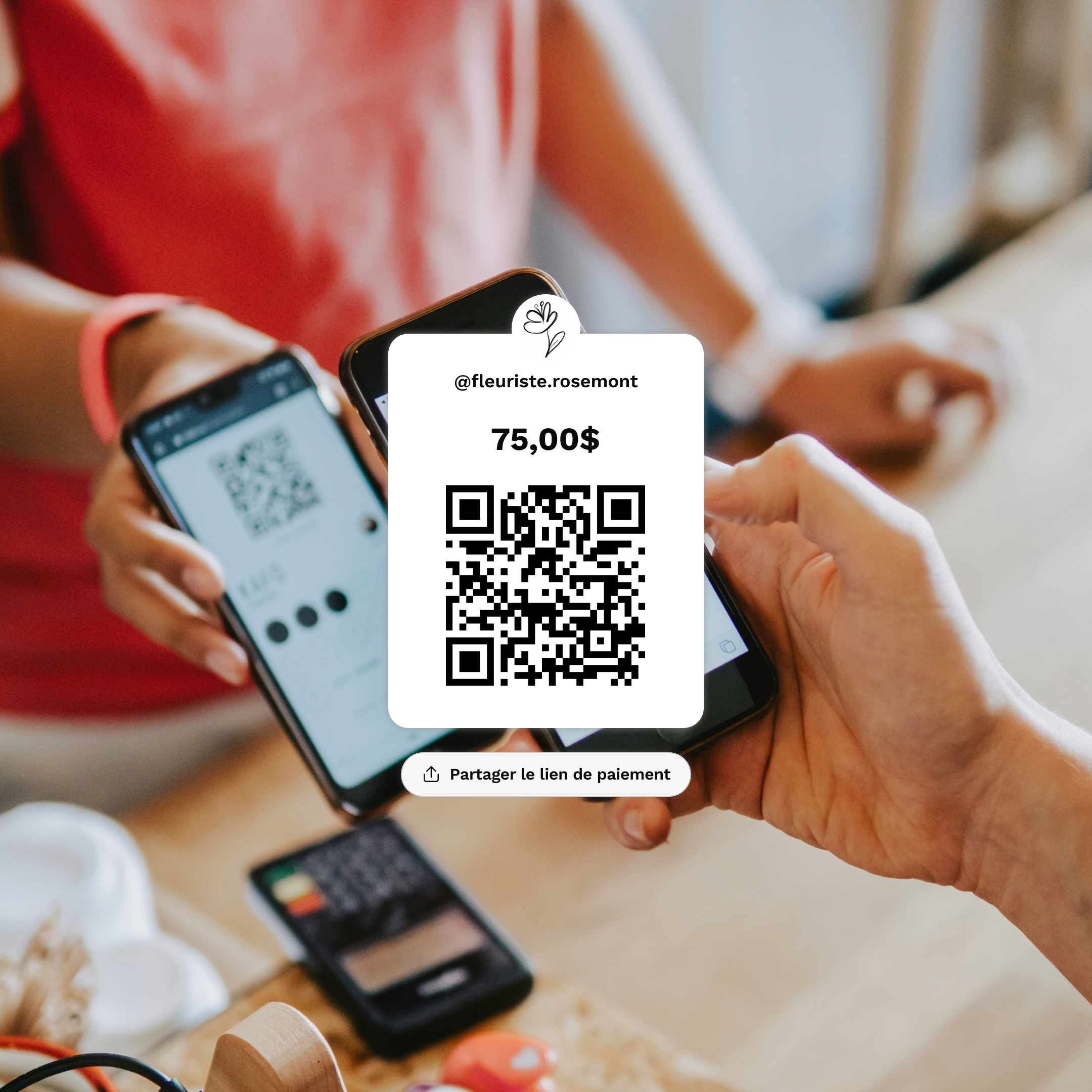
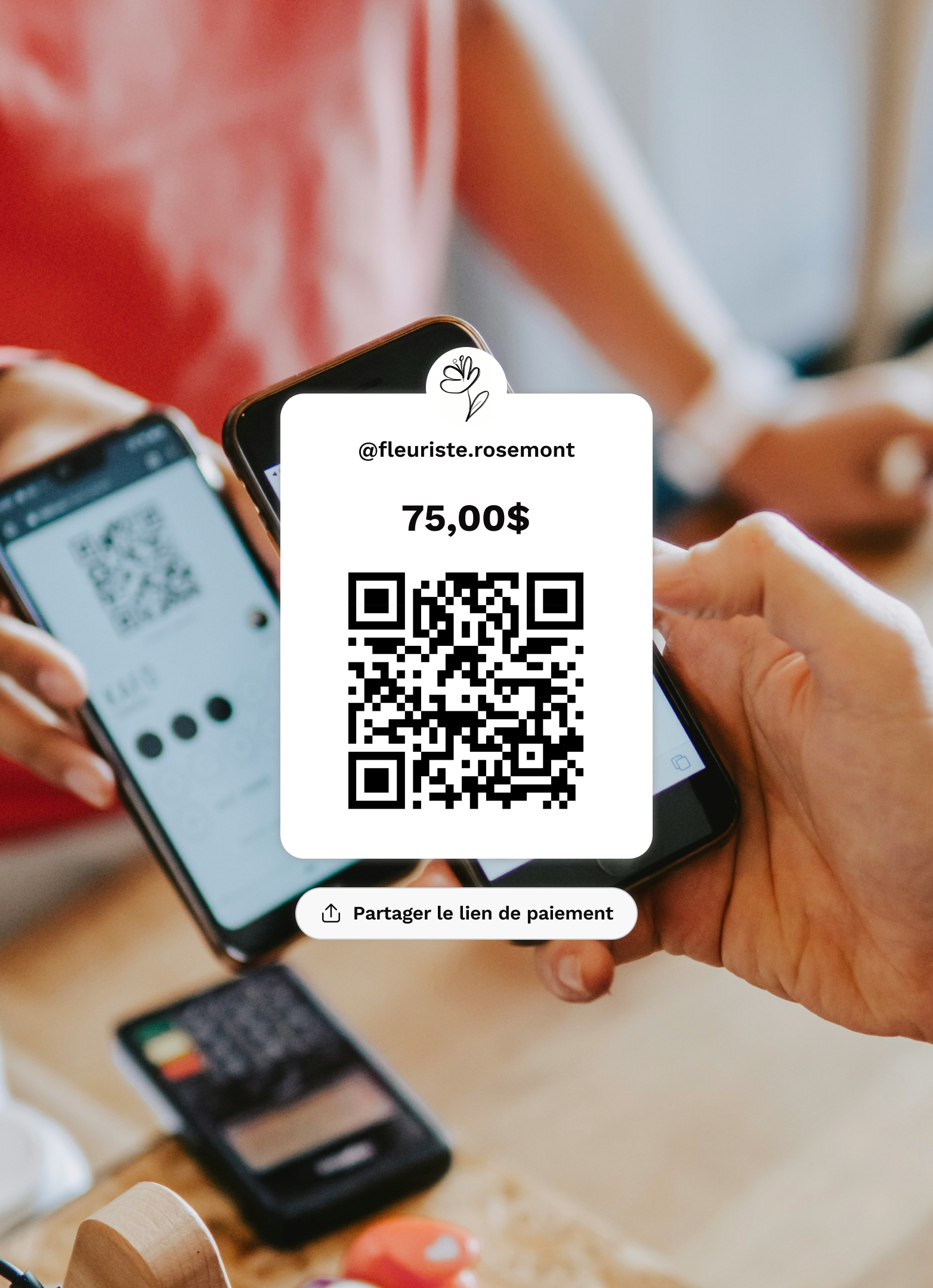
Scan to Pay solves exactly that: you generate a QR code, the other person scans it, and you're paid in a few minutes, without them needing a Bounce account.
What It Actually Is: Getting Paid by QR Code
Scan to Pay is an extension of the request money feature we cover in another article. Instead of picking a contact from your list, you generate a QR code for the exact amount you want to receive. Here's the full flow:
- You open Bounce and enter the amount you want to receive.
- The app generates a unique QR code for that amount.
- The other person scans the code with their own phone, picks their bank from a list, and confirms the payment directly within their own banking app.
An EFT (electronic funds transfer) is generated automatically, and none of this requires the other person to have Bounce, create an account, or share a phone number or email.
The payment can technically take up to three business days, but in the vast majority of cases, the money arrives in about five minutes.
Trust works the same way: since the person paying confirms the transaction from their own bank, neither of you has to share personal information. The QR code only contains the amount to be paid, nothing else, similar to how Payments Canada describes QR code payments (https://www.payments.ca/qr-code-enabled-payments-canada) working in this country.
Why We Built It This Way
We noticed three situations that kept coming up, and none of our other features covered them well.
First, there are people who want to get paid by anyone, regardless of whether the other person uses Bounce. Sending a request to a contact assumes the other person is already in the ecosystem. Scan to Pay removes that barrier entirely: you don't even need the other person to download the app to receive your money.
Second, there are people who simply don't want to share their contact information. A phone number or email isn't always something you want to hand over to a stranger, even for a one-time transaction. A QR code settles the payment without exposing that information. It works like the QR payments you already see elsewhere in the industry, except you don't need to be a registered business to use it.
Finally, there are people who get paid often and want something as simple and fast as a point-of-sale terminal, minus the equipment and the terminal fees.
Who It's For
- Anyone selling to strangers: Marketplace, garage sales, artisans selling in person.
- Freelancers and independent workers who bill occasional clients and don't want to manage a contact list for every new person.
- People who provide services in person: private lessons, trainers, mobile hairdressers, anything paid for on the spot.
- Organizers collecting money in a context where not everyone necessarily has Bounce: a group activity, a fundraiser, a community event.
- Anyone who values their privacy and would rather not share their number or email for a one-time payment.
Two Real-Life Examples
Camille teaches private yoga lessons to clients she sometimes only sees once. Most of them don't have Bounce, and she doesn't feel like asking for their phone number just for a 45-minute lesson.
At the end of the lesson, she opens Bounce, generates a QR code for the exact amount of the lesson, and shows it to her client on her phone. The client scans the code with their own phone, sees the amount, selects their bank from the list, and confirms the payment.
Five minutes later, Camille gets a notification: the payment has arrived. She never needed to know the client's full name, let alone their number or email, and the client never needed to download anything at all.
Marc-André is selling a couch on Marketplace. The buyer usually comes to pick it up on a Saturday morning and pays either in cash, which means having exact change on hand, or by regular bank transfer, which means waiting and hoping it goes through. This time, he generates a QR code for the agreed amount before the buyer even arrives.
The buyer scans the code with their phone when they get there, confirms the amount, picks their bank, and pays. Marc-André never had to give his phone number to a stranger he met through a listing, and he didn't have to count bills on his doorstep.
The Bottom Line
You no longer need to ask someone if they have Bounce, or give them your number or email just to get paid. With Scan to Pay, you generate a QR code, the other person scans it and pays from their own bank, and the money arrives in a few minutes, no matter who they are.
Download Bounce and generate your first QR code to get paid on your next sale or service.
Features
The Group Function: Expense Splitting With Friends
August 2026
A dinner with friends, a trip with four people, a shared apartment. As soon as a group splits expenses over several weeks, someone ends up pulling out a calculator, or worse, just gives up because it's too messy to untangle.
Features
Send and Request Money: The Venmo Alternative in Canada
August 2026
You want to pay back your roommate, send $40 to a friend, or get paid for a sale on Marketplace. Or maybe it's the other way around: you've been waiting three weeks for someone to pay you back and you're not quite sure how to bring it up without it being awkward.